
Firefox Nightly
Screenshots
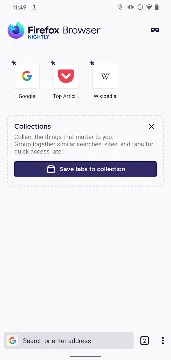
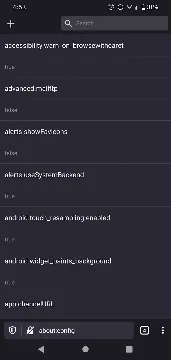
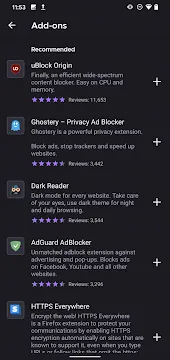
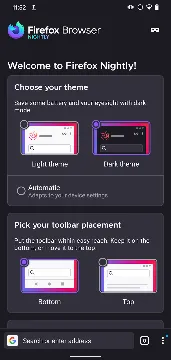
Firefox Nightly is the perfect application for tech enthusiasts who want to test the newest browser innovations early. This advanced platform lets you explore upcoming tools before they reach the main public release.
Developers use this specific platform to gather feedback on real-world browser performance. Consequently, you will see daily updates that modify the internal system code. That is to say, you get a completely dynamic browsing environment every single day.
However, you must remember that this app remains an unstable testing application. Therefore, unexpected bugs might occur during your regular internet browsing sessions. But the opportunity to try out secret options makes it highly exciting for advanced users.
What is Firefox Nightly?
Firefox Nightly represents the absolute bleeding edge of mobile web development. It contains the experimental builds of the famous open-source browser engine called GeckoView. Moreover, this layout receives updates once or twice every day to introduce new codes.
Experienced users select this build to view how websites interact with brand-new web technologies. For instance, you can test complex CSS properties before other browsers adopt them. In addition, you get to participate actively in shaping the main browser product.
Furthermore, the app functions as a completely separate installation on your mobile unit. As a result, it will never disrupt your standard browsing setup or delete your existing data. You can easily run both browser versions side by side without any operational conflicts.
Finally, this platform appeals directly to people who enjoy customizing hidden parameters. It opens up access to configurations that standard applications lock away from view. In other words, you become a developer when you run this app on your phone.
Key Features of Firefox Nightly
This experimental application provides a highly advanced toolkit to modify your browsing experience. Therefore, we summarized the top four features that make this platform ideal.
Testing Early Experimental Features
The application lets you explore the newest web technologies months before standard browsers receive them. Consequently, you can experience new APIs and modern design modifications daily. This feature grants a unique opportunity to help shape the future of internet development.
Full Custom Extension Support
The browser breaks traditional boundaries by allowing you to install any desktop add-on on your mobile unit. You can easily enter your developer collection ID inside the settings to download your favorite tools. As a result, you get absolute customization that other platforms block.
Advanced Performance Engine
The application relies on bleeding-edge versions of the GeckoView engine to accelerate heavy web page loads. The system processes JavaScript code with incredible speed to minimize phone resource usage. Moreover, this engine ensures highly smooth scrolling on high refresh rate screens.
Strict Privacy Protection
The program includes powerful security options that stop aggressive scripts from tracking your movements online. You can isolate cookies for each tab separately to protect your personal data perfectly. In addition, the system gives you full control to disable automated diagnostic data sharing completely.
How to Download and Install Firefox Nightly Apk
To explore this amazing application, you should download the APK package directly from our website. Our platform provides clean files to ensure a smooth configuration process on your mobile device. Follow our detailed manual below to complete the setup successfully.
- Download the APK File:
- Firstly, click the download button on our website to fetch the file. Save the package inside your local storage.
- Enable Unknown Sources:
- Secondly, navigate to your device settings menu. Open the security section and allow installations from unknown sources.
- Locate the Package:
- Thirdly, open your preferred file manager tool. Locate the downloaded file inside your main download directory.
- Trigger Installation:
- After that, tap the file to start the system installation wizard. Confirm the requested permissions on your screen.
- Launch the Browser:
- Finally, click the install button and wait for completion. Tap the icon to start your browsing experience.
Make sure you do not delete the downloaded file until the setup completes fully. Then, you can remove it to free up your internal storage space. Now you can enjoy testing the most advanced browser features instantly.
Furthermore, always ensure that your device has sufficient storage room before initiating the download. Insufficient storage can stall the installation wizard midway. If you face an error, simply restart the installation process after cleaning your disk.
Likewise, check your network connection stability before tapping the download trigger. A dropped connection can corrupt the installation package file. Downloading over a stable Wi-Fi network guarantees a perfect transfer every time.
Firefox Nightly Tips and Tricks
To maximize your enjoyment of this platform, you should learn a few advanced adjustment techniques. These minor alterations unlock hidden capabilities that enhance performance and change the overall look. Let us look at the best ways to optimize your setup.
- Access Secret Configurations: Type about:config inside the main address bar to view the full hidden developer menu. Here, you can search for advanced flags to toggle hardware acceleration or network protocols manually.
- Create Add-on Collections: Visit the extension settings to input your personal collection ID. This action allows you to bypass the standard mobile add-on limits and install desktop extensions easily.
- Utilize Split View Mode: Tap the tab context menu to open two separate websites side by side. This outstanding feature allows you to compare web information easily without switching screens constantly.
- Enable Automatic Cleaning: Activate the data clearance option inside the privacy panel. This setup instructs the system to erase your local history every time you close the application.
Relocate the Navigation Bar: Open the toolbar customization settings to change the placement of your navigation tools. Moving the bar to the bottom allows for much better one-handed phone operations.
By implementing these strategies, you can easily mold the browser into a perfect match for your habits. Furthermore, you will avoid typical performance slowdowns by managing your active sessions properly. Keep experimenting with different flags to find your optimal settings.
In addition, you should back up your custom extension settings regularly. Because this platform updates daily, minor settings resets can happen occasionally. Saving your configuration credentials ensures that you can restore your environment within seconds.
Similarly, you can configure custom search shortcuts to accelerate your daily inquiries. Assigning short letters to your favorite search options saves significant typing time. This minor tweak improves your overall data retrieval efficiency immensely.
Firefox Nightly App Pros and cons
Every pre-release application has specific trade-offs that you must consider before using it daily. While the platform offers amazing innovation, it also carries potential risks to stability. Review our detailed list below to balance your expectations correctly.
Pros
- You get immediate access to advanced web capabilities months before the general public receives them.
- The full support for custom extension collections gives you unmatched customization freedom on mobile units.
- Highly optimized Quantum engine upgrades deliver incredibly fast page rendering speeds during regular browsing.
- The separate installation architecture ensures that your stable browser data remains completely safe.
- Advanced network safeguards protect your local network devices from hidden online tracking scripts.
cons
- Daily updates can occasionally introduce unstable code that causes unexpected application crashes.
- The interface elements might change suddenly without warning due to continuous design testing.
- Automated background data transmission for bug reporting can increase your mobile data usage.
Therefore, you should view this app as an exciting playground for testing rather than a completely daily driver. If you appreciate cutting-edge tools, the minor performance risks are definitely worth the reward.
Moreover, always remember that you can easily toggle features off if they cause issues. The flexible architecture lets you manage unstable parameters smoothly. In other words, you control the operational risk directly through your settings choices.
In conclusion, balancing these factors will determine how much you enjoy this dynamic application environment. Technical users will certainly appreciate the freedom it offers over standard alternatives.
Final Thoughts on Firefox Nightly
In conclusion, Firefox Nightly provides an incredible look into the future of mobile internet browsing technology. It empowers technical users to break free from standard browser restrictions and try experimental tools. The unmatched expansion support gives you a unique level of control over web interactions.
Although small bugs appear occasionally, the daily update cycle resolves major issues very quickly. Above all, you get to support open-source web development while enjoying exceptional customization choices. Download the package from our website today to start your experimental browsing journey.
Furthermore, your feedback directly impacts the development of the final stable application build. You are not just a passive user; you are an active part of the community. Embrace the fast-paced updates and enjoy an unrestricted internet exploration experience today.